Best IPTV Players for Smart TV in 2026
When upgrading your home television setup with live protocol streaming, having a high-performance IPTV player for Smart TV is essential to ensure smooth channel navigation and buffer-free playback.
A common source of confusion among new viewers is distinguishing between their streaming service, their media application, and their TV's operating system:
- IPTV Provider: The service (such as Flash 4K IPTV) that supplies your authorized channel playlist, stream links, server credentials, and Electronic Program Guide (EPG) data.
- IPTV Player: The software application installed on your TV or media box that loads, decodes, and renders the video stream and channel menu on your screen.
- Smart TV Operating System: The underlying operating environment built into your television set—such as Samsung Tizen, LG webOS, Android TV, or Google TV—which dictates which apps can be natively downloaded from the app store.
Because no single media player is universally optimal across every television hardware platform, choosing the best IPTV app for Smart TV in 2026 depends on your specific TV brand, your preferred login method (M3U URL vs. Xtream Codes API), and your desired interface features.
In this comprehensive guide, we will evaluate the best IPTV players for Smart TV in 2026, break down platform compatibility for Samsung, LG, Sony, and Android TV devices, outline essential player features, compare free versus premium options, and provide step-by-step installation instructions.
What Is an IPTV Player?
An IPTV player is a specialized media application designed to parse, organize, and stream digital live television and video-on-demand (VOD) feeds delivered over Internet Protocol networks.
Unlike consumer streaming apps such as Netflix or Prime Video—which come bundled with their own proprietary content libraries—an IPTV player acts as an independent media container. When you first install an IPTV app, it is completely empty. To populate the channel lineup and program guide, you must import your authorized subscription credentials using one of three standard login methods:
- Xtream Codes API: The most convenient login method. You simply enter a Server URL, Username, and Password provided in your service welcome email. The app automatically fetches live channels, VOD categories, and EPG schedules.
- M3U Playlist URL: A web link (or local text file) containing a list of video stream URLs along with channel names, logos, and grouping metadata.
- Portal / MAC Address Authentication: A system where your device's unique MAC address is registered on the provider's server. When you open a portal-compatible app (such as Smart IPTV), the player automatically links to your assigned portal URL.
Not every media application supports every login method. Understanding how your chosen player processes these data formats is key to selecting the best IPTV player in 2026 for your setup.
What Makes a Good IPTV Player for Smart TV?
When evaluating a Smart TV IPTV app, visual aesthetics are only part of the equation. A truly great player must deliver fast channel zapping, efficient hardware decoding, and stable background navigation.
Use this 16-point checklist when selecting an application for your home setup:
- Native Smart TV OS Compatibility: Official availability in the Samsung App Store, LG Content Store, or Google Play Store.
- M3U Playlist Parsing: Capability to parse large M3U/M3U8 playlists containing thousands of live streams without freezing.
- Xtream Codes API Support: Native support for Xtream Codes login for seamless channel and VOD category organization.
- Electronic Program Guide (EPG): Robust TV guide integration with time-zone offsets and automatic guide updates.
- Favorites & Channel Grouping: Easy tools to create custom favorite lists and hide unused channel categories.
- Search & Filtering: Global search functionality to locate live sports events, news channels, or movie titles quickly.
- Multi-Playlist Support: Ability to load and toggle between multiple M3U or Xtream playlists simultaneously.
- Playback Stability & Buffer Management: Adjustable buffer settings to absorb minor Wi-Fi throughput dips.
- Clean TV-Oriented Interface: Designed for standard TV remote controls rather than touchscreen navigation.
- Subtitle & Closed Captioning: Native support for embedded CEA-608/708 captions and external subtitle tracks.
- Multi-Audio Track Selection: Easy toggling between primary commentary, stadium audio, or secondary language tracks.
- Catch-Up & Replay: Compatibility with provider catch-up servers to re-watch missed live broadcasts.
- VOD Organization: Clean grid views for movies and TV series with synopsis details, cast info, and episode lists.
- Active Developer Updates: Regular software patches to fix bugs and support new video codecs.
- Privacy & Security: Secure data encryption that does not leak user playlist credentials to unauthorized third parties.
- Low System Resource Usage: Lightweight CPU and RAM consumption so the app runs smoothly on older Smart TV processors.
Best IPTV Players for Smart TV in 2026
The table below summarizes the top IPTV players for Smart TV platforms in 2026 based on verified feature sets, login compatibility, and user interface performance:
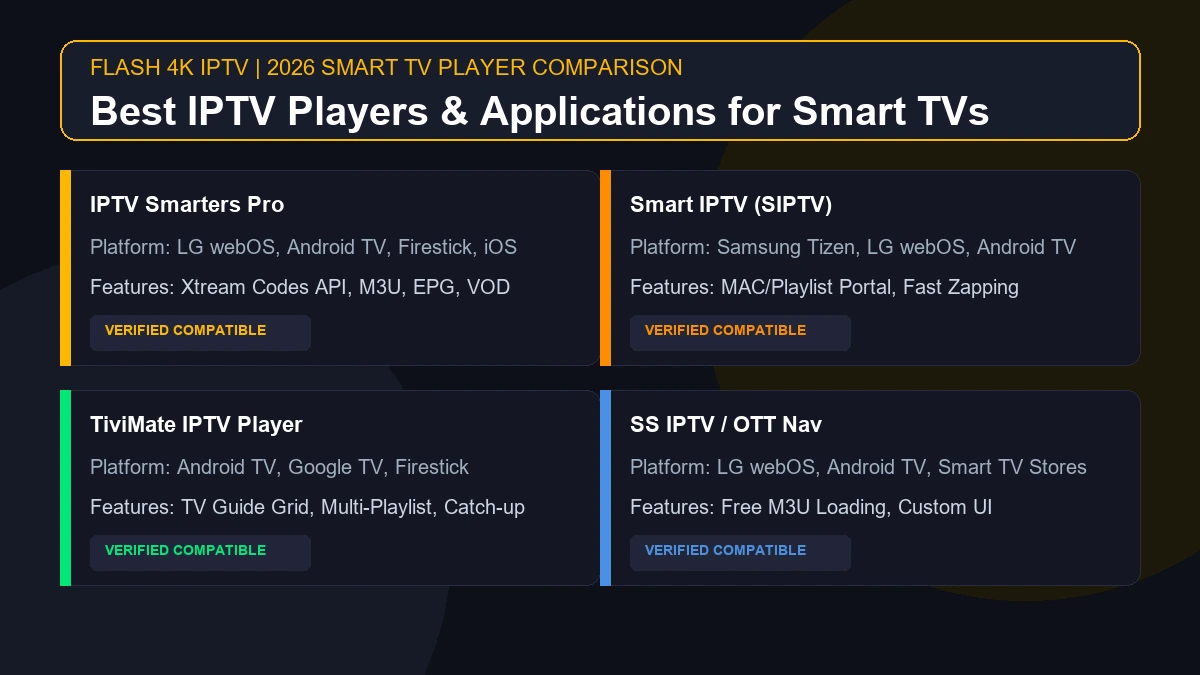
| IPTV Player Name | Best For | Verified Platforms | M3U Support | Xtream Codes | EPG Support | Ease of Setup |
|---|---|---|---|---|---|---|
| IPTV Smarters Pro | All-Around Versatility | LG webOS, Android TV, Firestick, iOS | Yes | Yes | Yes | Very Easy |
| Smart IPTV (SIPTV) | Smart TV Simplicity | Samsung Tizen, LG webOS, Android TV | Yes | MAC Portal | Yes | Moderate |
| TiviMate IPTV | Advanced TV Guide & Navigation | Android TV, Google TV, Firestick | Yes | Yes | Yes | Easy |
| SS IPTV | Lightweight Free Playback | LG webOS, Select Smart TV Stores | Yes | Limited | Yes | Moderate |
| OTT Navigator | Deep UI Customization | Android TV, Google TV, Firestick | Yes | Yes | Yes | Advanced |
Stream 2026 NFL Games in 4K & 60FPS
Get instant access to over 50,000 live sports channels, 120,000+ movies & series, and 24/7 priority sports coverage across all your favorite devices.
1. IPTV Smarters / Smarters Pro
IPTV Smarters Pro remains one of the most widely used and recognizable applications in the streaming industry. Designed with a clean, grid-based dashboard, it divides content into distinct sections: Live TV, VOD Movies, Series, and Catch-Up.
Best IPTV players for Smart TV in 2026
Key Strengths & Features
- Cross-Platform Availability: Native application support across LG Content Store (webOS), Google Play Store (Android TV), Amazon Appstore (Firestick), iOS, and Windows.
- Xtream Codes Integration: Simply enter your Server URL, Username, and Password to load your entire channel structure automatically.
- Multi-Screen Mode: Watch up to four live channels simultaneously on supported Android TV hardware.
- Parental Controls: Set master PIN codes to restrict access to adult categories or specific channel groups.
Considerations
Application naming and listing details can occasionally shift in third-party app stores due to trademark updates. On LG Smart TVs, look for official listings under "Smarters Player" or "IPTV Smarters". It connects seamlessly with your subscription as outlined on our official Flash 4K installation guide.
2. Smart IPTV (SIPTV)
Smart IPTV (frequently abbreviated as SIPTV) is a legacy player engineered specifically for native Smart TV operating systems, particularly Samsung Tizen and LG webOS.
Key Strengths & Features
- Tailored for Smart TVs: Built specifically to operate efficiently on television remote controls without requiring a mouse cursor or touch gestures.
- MAC Address Activation: Users register their TV's Ethernet or Wi-Fi MAC address via the official Smart IPTV website, allowing playlists to be uploaded remotely.
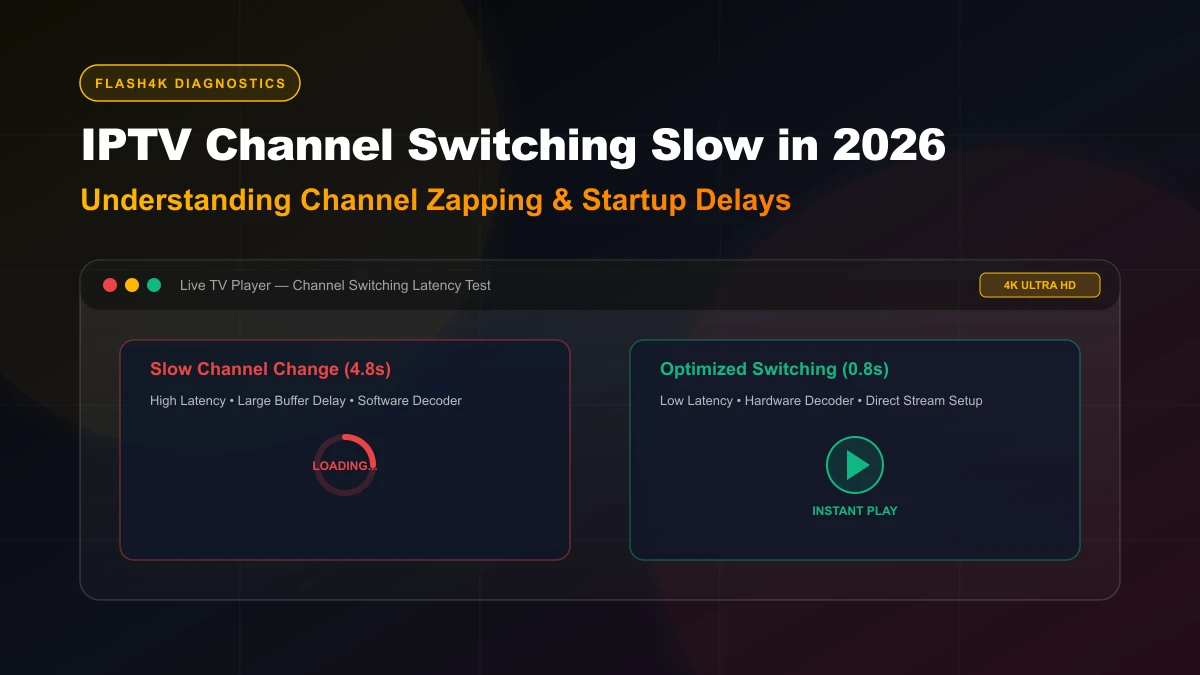
- Fast Channel Zapping: Lightweight software architecture enables quick channel switching with minimal menu lag.
- EPG Integration: Supports external XMLTV EPG links for complete program guide schedules.
Considerations
Smart IPTV operates on a playlist-upload model rather than an interactive Xtream Codes dashboard. Users upload their M3U URL or portal link through a web browser on their phone or PC. Smart IPTV offers a multi-day free trial followed by a one-time activation fee. It is explicitly referenced as a primary setup option in our Smart TV IPTV setup guide.
3. TiviMate IPTV Player
For viewers operating Android TV or Google TV hardware, TiviMate is widely regarded as the gold standard for traditional cable-style television navigation.
Key Strengths & Features
- Cable & Satellite-Style Interface: Displays a comprehensive full-screen TV guide grid identical to premium set-top boxes.
- Multi-Playlist Management: Seamlessly blend multiple IPTV subscriptions into a single unified channel list.
- Custom Channel Sorting: Rename channels, create custom favorite categories, and reorder channel lineups with ease.
- Catch-Up & Recording: Schedule automated recordings to local storage or external USB drives (where supported by hardware).
Important Platform Distinction
TiviMate is engineered specifically for Android TV, Google TV, and Fire TV operating systems. It is not available as a native download in the Samsung Tizen App Store or LG Content Store. To use TiviMate on a Samsung or LG television, you must connect a compatible external streaming device (such as an Amazon Firestick 4K Max or Chromecast with Google TV) to your TV's HDMI port.
4. OTT Navigator
OTT Navigator is an advanced IPTV application popular among power users who desire extensive control over codec rendering, media providers, and interface layouts.
Key Strengths & Features
- Deep UI Customization: Modify color schemes, font sizes, channel card layouts, and player controls to match your exact preferences.
- Studio & Category Grouping: Automatically groups channels by broadcast resolution (4K, 1080p, 720p), language, or genre.
- Picture-in-Picture (PiP): Preview secondary live streams in a small corner window while maintaining primary playback.
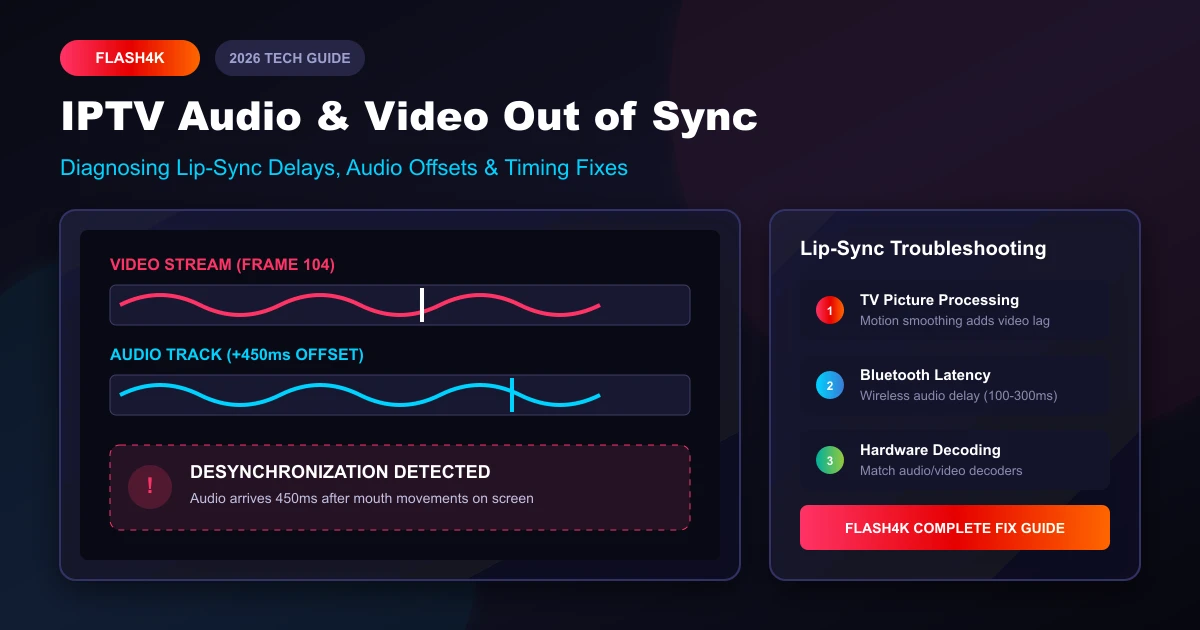
- Advanced Codec Toggling: Switch between Hardware (HW), Hardware+, and Software (SW) decoders to resolve rare audio-video sync issues.
Considerations
Because of its extensive configuration menus, OTT Navigator has a steeper learning curve for non-technical users compared to IPTV Smarters. It is available on Android TV and Google TV platforms.
5. SS IPTV (Simple Smart IPTV)
SS IPTV is a free, multi-platform media application that provides lightweight playlist playback on select Smart TV app stores, particularly on LG webOS televisions.
Key Strengths & Features
- 100% Free Application: Provides core streaming features without mandatory subscription costs.
- Web-Based Playlist Upload: Upload M3U links remotely by generating a temporary connection code inside the TV application.
- Simple Remote Navigation: Responsive directional pad controls designed for Smart TV remotes.
Considerations
The user interface is basic compared to modern platforms like TiviMate or IPTV Smarters Pro, and EPG loading can be slower on complex playlists containing high channel counts.
Samsung Smart TV — Which IPTV Player Should You Choose?
Samsung Smart TVs run on Samsung's proprietary Tizen Operating System. Unlike Android televisions, Tizen utilizes a curated application store with distinct developer requirements.
Native Samsung Options
If you prefer not to attach external hardware, check the Samsung App Store on your TV for:
- Smart IPTV (SIPTV): Historically the most popular native player on Samsung Tizen.
- IPTV Smarters / Smarters Player: Available on many recent Samsung TV models depending on region.
The External Streaming Box Alternative
If your specific Samsung TV model or regional store lacks native IPTV player apps, connecting an inexpensive external streaming stick (such as a Firestick 4K or Google TV streamer) provides instant access to the entire Android app ecosystem, allowing you to run TiviMate or IPTV Smarters Pro effortlessly.
LG Smart TV — Which IPTV Player Should You Choose?
LG Smart TVs operate on webOS, a sleek, card-based television operating system that features its own dedicated app portal, the LG Content Store.
Native LG Options
- IPTV Smarters Pro / Smarters Player: Frequently available natively in the LG Content Store. Supports direct Xtream Codes API login.
- Smart IPTV: Widely supported across webOS versions for MAC address playlist activation.
- SS IPTV: A popular free alternative available in many regional LG app stores.
If you encounter performance limits on older LG webOS hardware, explore our guide on troubleshooting when IPTV works on one device but not another.
Sony Smart TV — Which IPTV Player Should You Choose?
Sony Smart TVs fall into two distinct software generations:
- Modern Sony Smart TVs (2015–Present): Powered directly by Android TV or Google TV.
- Legacy Sony Smart TVs (Pre-2015): Powered by Sony's proprietary Linux-based Smart TV firmware.
If your Sony TV runs Android TV or Google TV, you enjoy direct access to the official Google Play Store. You can download TiviMate, IPTV Smarters Pro, or OTT Navigator directly onto the TV without needing an external streaming stick.
Android TV and Google TV — Best IPTV Player Options
Televisions manufactured by Sony, TCL, Hisense, and Philips operating on official Android TV or Google TV platforms offer the broader IPTV application ecosystem.
Key advantages of the Android TV ecosystem include:
- Direct access to Google Play Store downloads.
- Full support for advanced players like TiviMate and OTT Navigator.
- Capability to side-load compatible APK applications when necessary.
- Superior hardware video decoding and system RAM management.
IPTV Player Features You Should Look For
When selecting your primary application, understanding specific technical features ensures you get the most out of your Flash 4K channel subscription.
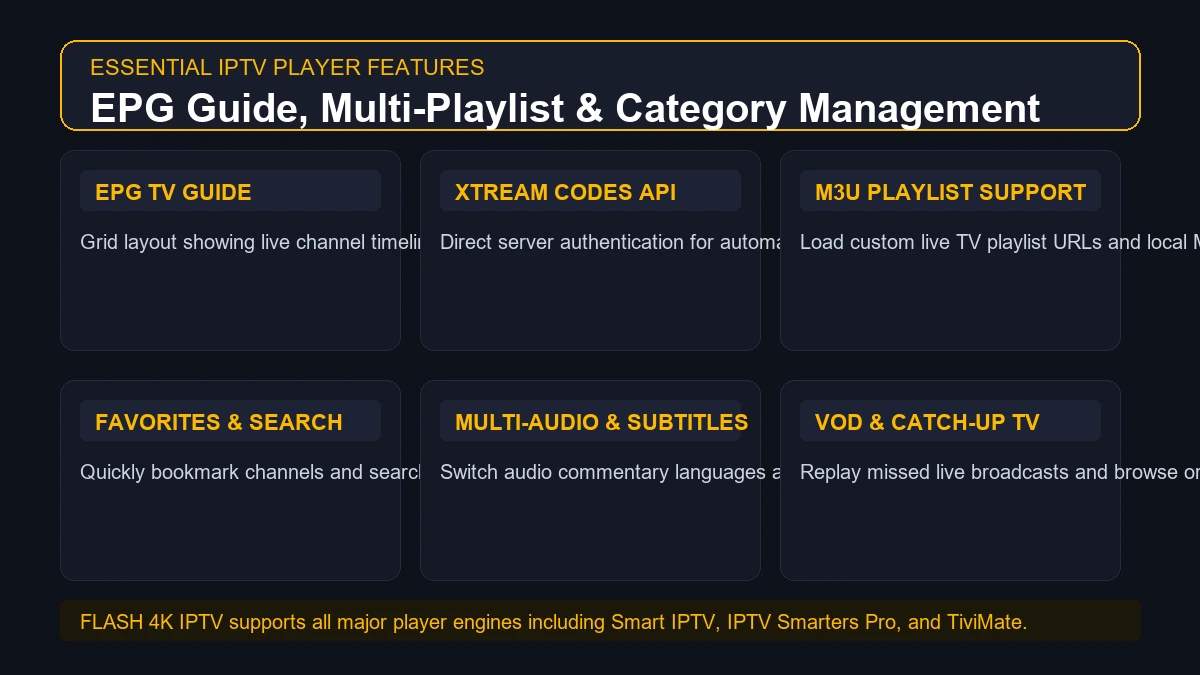 IPTV player features including EPG and playlist management
Electronic Program Guide (EPG)
The EPG provides a live TV schedule grid detailing current and upcoming shows, movie descriptions, and air times. A high-quality player automatically syncs EPG data from your provider link and supports manual time-zone adjustments.
M3U & M3U8 Playlist Support
M3U is the universal text format for media playlists. Ensure your player can parse .m3u and .m3u8 links, as well as compressed .gz guide files.
Xtream Codes API
Xtream Codes API simplifies setup by replacing long M3U web addresses with three basic fields: Server URL, Username, and Password. It also organizes VOD movies and series into structured poster categories.
Favorites & Category Management
Managing thousands of live channels is impossible without custom organization. Look for players that allow you to star favorite channels and hide unwanted international categories.
Global Search Functionality
A responsive search bar allows you to type a sports team name (e.g., "Real Madrid" or "Lakers") or movie title and instantly filter results across live channels and VOD.
Subtitles & Multi-Audio Tracks
Essential for international sports broadcasts and foreign films. Ensure your player allows one-click switching between primary and secondary audio streams.
IPTV Player vs IPTV Provider — What's the Difference?
To avoid technical confusion, review the key distinctions between your IPTV provider and your IPTV player in the comparison table below:
| Functional Metric | IPTV Provider (e.g., Flash 4K) | IPTV Player Application |
|---|---|---|
| Primary Role | Supplies live channel feeds, server access, and VOD | Renders video frames and displays the UI menu on screen |
| Content Ownership | Delivers stream data links and EPG schedules | Contains no built-in media content or channels |
| Subscription Cost | Monthly or annual service plan | Free, one-time purchase, or freemium app |
| Login Credentials | Issues M3U URLs and Xtream API keys | Accepts and stores your login credentials securely |
| Video Decoding | Transmits encoded digital video streams | Utilizes TV hardware chips to decode video/audio |
| Troubleshooting Impact | Responsible for server uptime and stream source health | Responsible for local UI navigation and app stability |
How to Choose the Best IPTV Player for Your Smart TV
Follow this decision matrix to select the ideal application for your home environment:
- If you have a Samsung Smart TV (Tizen OS): Try Smart IPTV or IPTV Smarters natively. If unavailable, connect an Amazon Firestick to run TiviMate.
- If you have an LG Smart TV (webOS): Download IPTV Smarters Pro or Smart IPTV directly from the LG Content Store.
- If you have an Android TV / Google TV (Sony/TCL/Hisense): Install TiviMate IPTV Player for the best cable-style guide experience.
- If you want the absolute simplest setup: Choose IPTV Smarters Pro and log in using Xtream Codes API.
- If your Smart TV is older than 5 years: Invest in an external streaming media player (Firestick 4K Max or Chromecast) rather than forcing outdated TV hardware to process heavy 4K streams.
How to Install an IPTV Player on Smart TV
Setting up an IPTV player on your television takes less than 10 minutes. Follow this universal step-by-step installation guide:
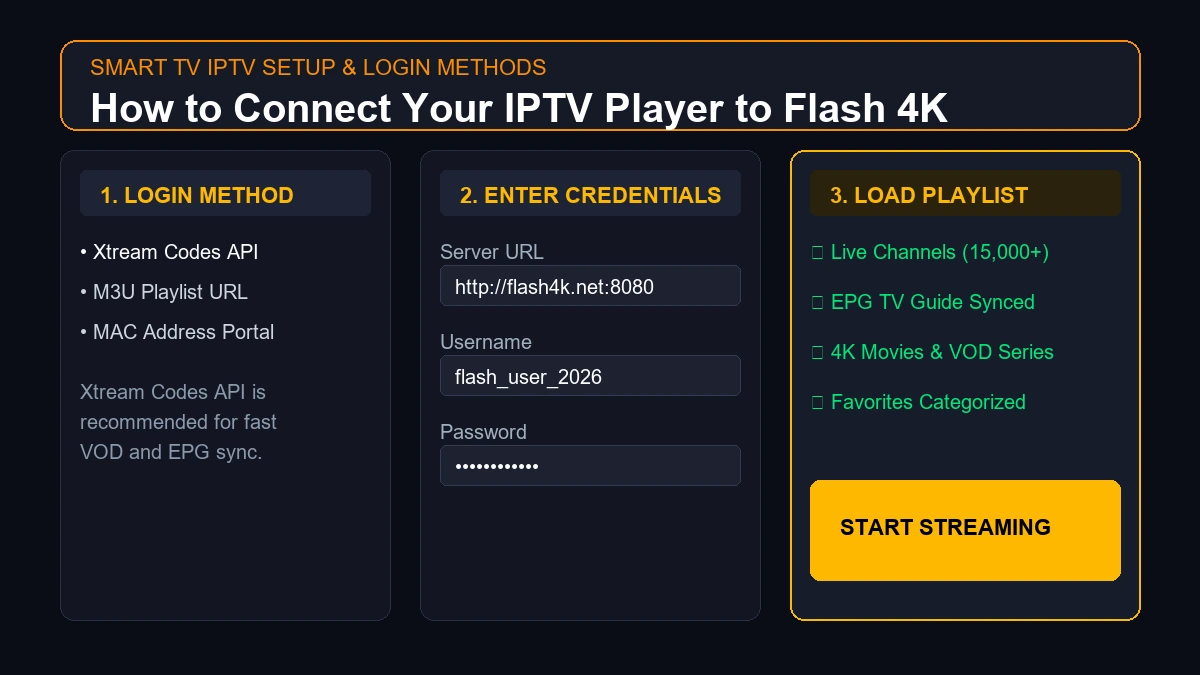 IPTV player setup on a Smart TV
- Turn on your Smart TV and ensure it is connected to a stable internet connection (preferably via Ethernet cable).
- Open the App Store native to your TV (Samsung App Store, LG Content Store, or Google Play Store).
- Search for your chosen player (e.g., "IPTV Smarters" or "Smart IPTV").
- Click Install to download the application to your TV's main home screen.
- Launch the IPTV Player once installation is complete.
- Select your preferred login method: Choose Xtream Codes API or M3U Playlist.
- Enter your Flash 4K credentials: Carefully input the Server URL, Username, and Password (or M3U URL) from your welcome email.
- Configure EPG (if requested): Paste your EPG URL if your player does not auto-fetch program guide data.
- Load Channels & Enjoy: Allow the application 30 to 60 seconds to index your channels, then start streaming!
For detailed device-specific setup walk-throughs, consult the complete Flash 4K device installation directory.
Which IPTV Player Is Best for Flash 4K?
At Flash 4K IPTV, our infrastructure is fully optimized to work across all major third-party IPTV players. We do not restrict our users to proprietary locked applications.
Based on customer feedback and testing, we recommend the following pairings for Flash 4K subscribers:
- For Samsung & LG Smart TVs: IPTV Smarters Pro or Smart IPTV.
- For Android TV & Firestick Devices: TiviMate IPTV Player (for live TV) or IPTV Smarters Pro.
- For iOS & Apple TV: IPTV Smarters Player or GSE Smart IPTV.
Simply use the secure Xtream Codes API credentials supplied in your activation email to connect Flash 4K to your preferred application. You can review our full subscription tier options on the official Flash 4K pricing page.
Stream 2026 NFL Games in 4K & 60FPS
Get instant access to over 50,000 live sports channels, 120,000+ movies & series, and 24/7 priority sports coverage across all your favorite devices.
Do IPTV Players Affect Streaming Quality?
A common misconception among viewers is assuming that switching to a different IPTV player will automatically make a low-bitrate stream look sharper. In reality, video resolution and stream bitrate are determined by the provider's broadcast source.
However, an IPTV player can significantly influence playback performance in the following technical areas:
- Hardware vs. Software Decoding: Advanced players allow you to switch decoding modes. Hardware decoding (HW) offloads processing to the TV's graphics chip, resulting in cooler operation and smoother 60FPS playback.
- Buffer Memory Allocation: Premium players let you increase stream buffer sizes (e.g., 5 to 10 seconds), preventing micro-stutters during temporary Wi-Fi signal drops.
- RAM & CPU Overhead: Lightweight players (like Smart IPTV) consume less system memory, leaving more hardware resources available for video rendering on budget Smart TVs.
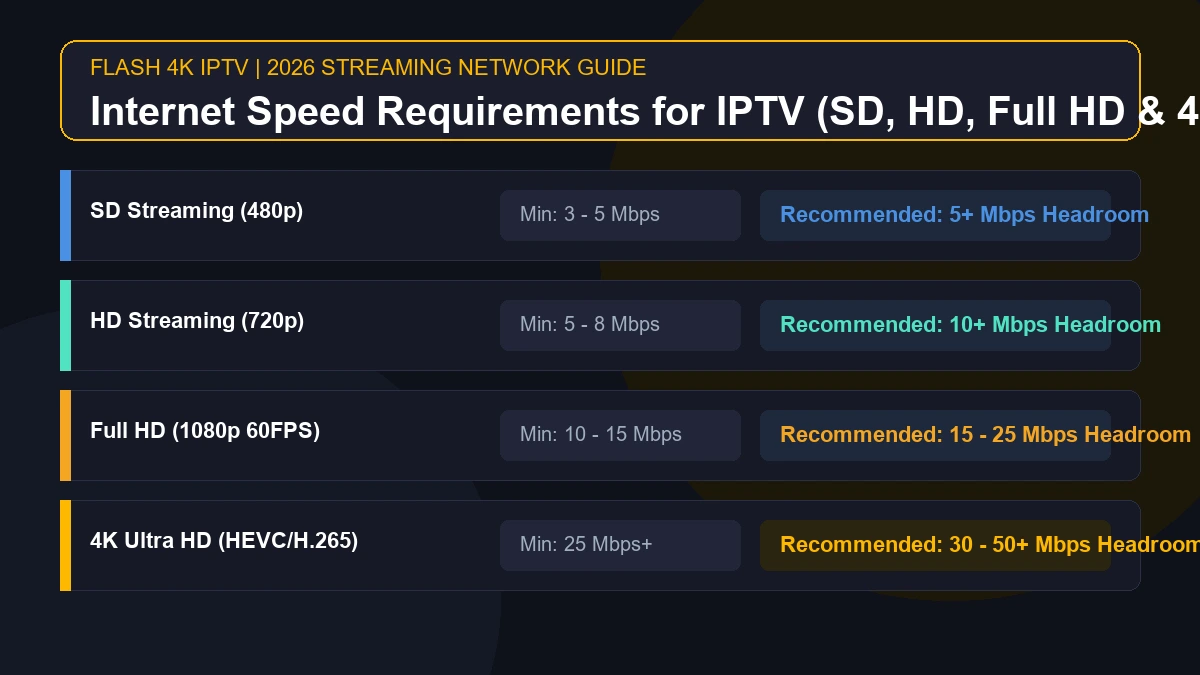
If you encounter stream buffering despite using a top-rated player, review our network troubleshooting guides on why IPTV keeps freezing and internet speed requirements for IPTV.
Free vs Paid IPTV Players
When selecting an application, you will encounter both free and premium player options:
Free IPTV Players
- Pros: Zero upfront cost; quick to download; sufficient for basic channel viewing.
- Cons: Frequently display pop-up advertisements; restricted to single playlists; lack advanced EPG customization; irregular developer updates.
Paid / Premium IPTV Players
- Pros: 100% ad-free experience; multi-playlist blending; advanced recording and catch-up tools; customizable EPG grids; regular software updates.
- Cons: Requires a small one-time purchase or annual license (typically $5 to $15).
For frequent TV viewers, investing a few dollars in a premium player like TiviMate Premium or IPTV Smarters Pro unlocked features delivers a vastly superior daily viewing experience.
IPTV Player Security and Privacy
Because IPTV players handle your private account credentials and network streaming data, practicing basic digital security is essential:
- Download Only from Official App Stores: Avoid downloading modified "cracked" APK files from obscure websites, as they frequently contain malware or credential-stealing spyware.
- Never Share Your M3U Links: Your playlist URL contains private login keys. Keep it confidential to prevent unauthorized access.
- Verify App Permissions: Ensure an IPTV player app only requests necessary storage and network permissions. An IPTV app does not need access to your contacts or location data.
- Keep Software Updated: Regularly update your IPTV player app to receive security patches and performance optimizations.
Best IPTV Player by User Type
Use the summary guide below to select the right application based on your viewing habits:
| Target User Profile | Recommended IPTV Player Direction |
|---|---|
| Beginner Smart TV User | IPTV Smarters Pro (User-friendly dashboard, simple Xtream Codes login) |
| Samsung Smart TV Owner | Smart IPTV or IPTV Smarters (Native Tizen App Store availability) |
| LG Smart TV Owner | IPTV Smarters Pro or SS IPTV (Native webOS Content Store availability) |
| Android TV / Google TV Owner | TiviMate IPTV Player (Best full-screen cable guide interface) |
| Heavy Sports & EPG Viewer | TiviMate or OTT Navigator (Advanced grid customization & multi-screen) |
| Multiple Subscription User | TiviMate Premium (Seamless multi-playlist integration) |
| Older Smart TV Hardware | Connect an Amazon Firestick 4K to bypass slow TV processors |
Final Recommendation
When choosing the best IPTV player for Smart TV in 2026, there is no single app that suits every user.
- For overall versatility and ease of use: IPTV Smarters Pro is the top choice across Samsung, LG, Android, and iOS platforms.
- For native Smart TV simplicity: Smart IPTV (SIPTV) remains a dependable choice for Samsung Tizen and LG webOS owners.
- For the ultimate TV guide experience on Android TV: TiviMate stands unmatched in design and channel organization.
Pairing a top-tier IPTV player with a high-speed, stable Flash 4K IPTV subscription ensures an exceptional home entertainment experience.
Frequently Asked Questions
Conclusion
Choosing the best IPTV player for Smart TV in 2026 transforms your television into a powerful entertainment hub. By matching your application choice to your TV's operating system and pairing it with a stable internet connection, you can enjoy seamless, buffer-free viewing across all your favorite live channels.
Ready to test your new IPTV player setup? Explore Flash 4K subscription plans today and unlock instant access to over 15,000 live channels, premium sports, and 4K movies with 99.9% uptime!