IPTV vs Cable TV in 2026: Which Is Better for Live TV and Sports?
Introduction
The way we watch television is undergoing a massive transformation. In 2026, viewers no longer have to settle for just one way to access their favorite channels. You can now choose between traditional cable TV, innovative IPTV services, standalone streaming platforms, and hybrid setups.
But with so many options available, a common question arises: Which option is better for someone who mainly wants to watch live TV and sports?
Deciding between IPTV and cable requires looking closely at how you consume media, your budget, and the technology you already own. In this comprehensive guide, we will compare IPTV and cable TV across crucial factors like cost, live sports access, equipment, and reliability. By the end, you'll have a clear idea of which path makes sense for your living room—and see how the Flash4K IPTV service fits into the modern television landscape.
Stream 2026 NFL Games in 4K & 60FPS
Get instant access to over 50,000 live sports channels, 120,000+ movies & series, and 24/7 priority sports coverage across all your favorite devices.
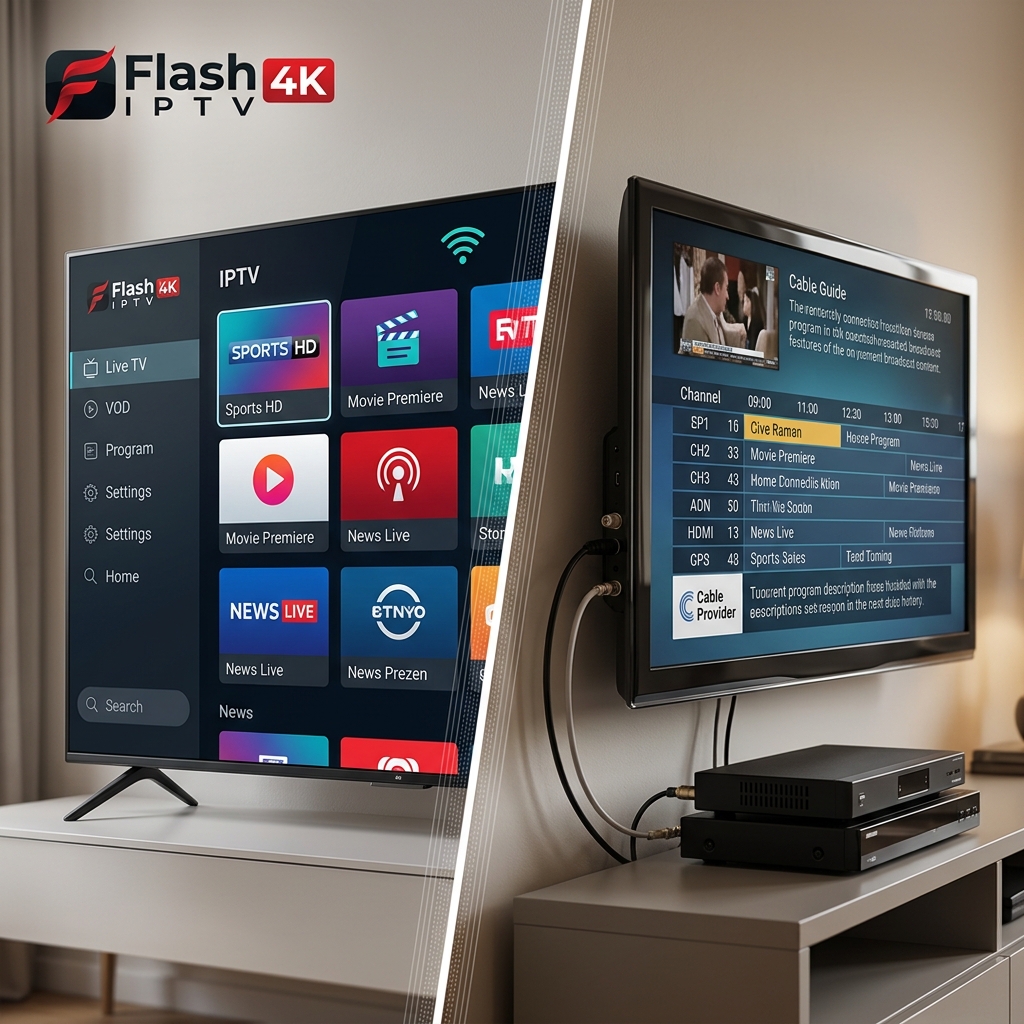
IPTV vs Cable TV at a Glance
If you are short on time, here is a quick comparison of the fundamental differences:
| Feature | IPTV | Cable TV |
|---|---|---|
| Internet required | Yes | Usually no for the TV signal |
| Installation | App/device based | Cable box/service installation |
| Monthly flexibility | Often more flexible | Often tied to provider plans |
| Live TV | Yes | Yes |
| Sports | Depends on service/package | Depends on package |
| 4K | Depends on stream/provider | Depends on provider/channel |
| Multi-device viewing | Often flexible | Depends on provider |
| Portability | High | Lower |
| Equipment | Smart TV/app/device | Cable box or provider equipment |
Note: Features often vary depending on the provider, specific plans, and your regional availability.
What Is IPTV?
IPTV stands for Internet Protocol Television. Put simply, IPTV delivers television content over an IP network (your internet connection) rather than through traditional satellite dishes or coaxial cable infrastructure.
The basic flow looks like this: Internet → IPTV service → IPTV player → Smart TV / streaming device → Live TV
With an IPTV setup, you can access live TV, Electronic Program Guides (EPG), and potentially on-demand content (where available) by simply downloading a compatible application to your existing smart devices. It offers massive flexibility for users who prefer navigating modern apps over traditional set-top boxes. To learn more about the technical foundations, check out our guide on how IPTV works.
What Is Cable TV?
Cable TV is the traditional television service that most households grew up with. It relies on a physical cable infrastructure that runs directly into your home, plugging into a dedicated set-top box.
When you subscribe to cable, you choose from various channel packages. The cable provider supplies the necessary equipment, installs the service, and manages the signal delivery. While highly familiar, exact features, channels, and pricing depend heavily on the specific cable provider and the plan you select.
IPTV vs Cable TV: Which Costs Less?
When deciding between the two, monthly cost is usually the primary deciding factor.
IPTV Costs
The potential costs for an IPTV setup may include:
- The IPTV subscription itself (which is often billed monthly or annually).
- Your existing home internet connection (which is required).
- An IPTV-compatible device, if your TV does not support native apps (like a Firestick).
Cable TV Costs
The potential costs for a cable setup may include:
- The core TV package.
- Monthly equipment rental fees (for the cable boxes).
- Initial installation fees.
- Additional premium channel packages.
- Specific sports packages.
- Various taxes and regional broadcast fees depending on the provider.
While many users find IPTV to be highly cost-effective by eliminating hardware rentals and hidden fees, it is important to remember that the total cost always depends on your existing internet plan and the specific IPTV package you choose.
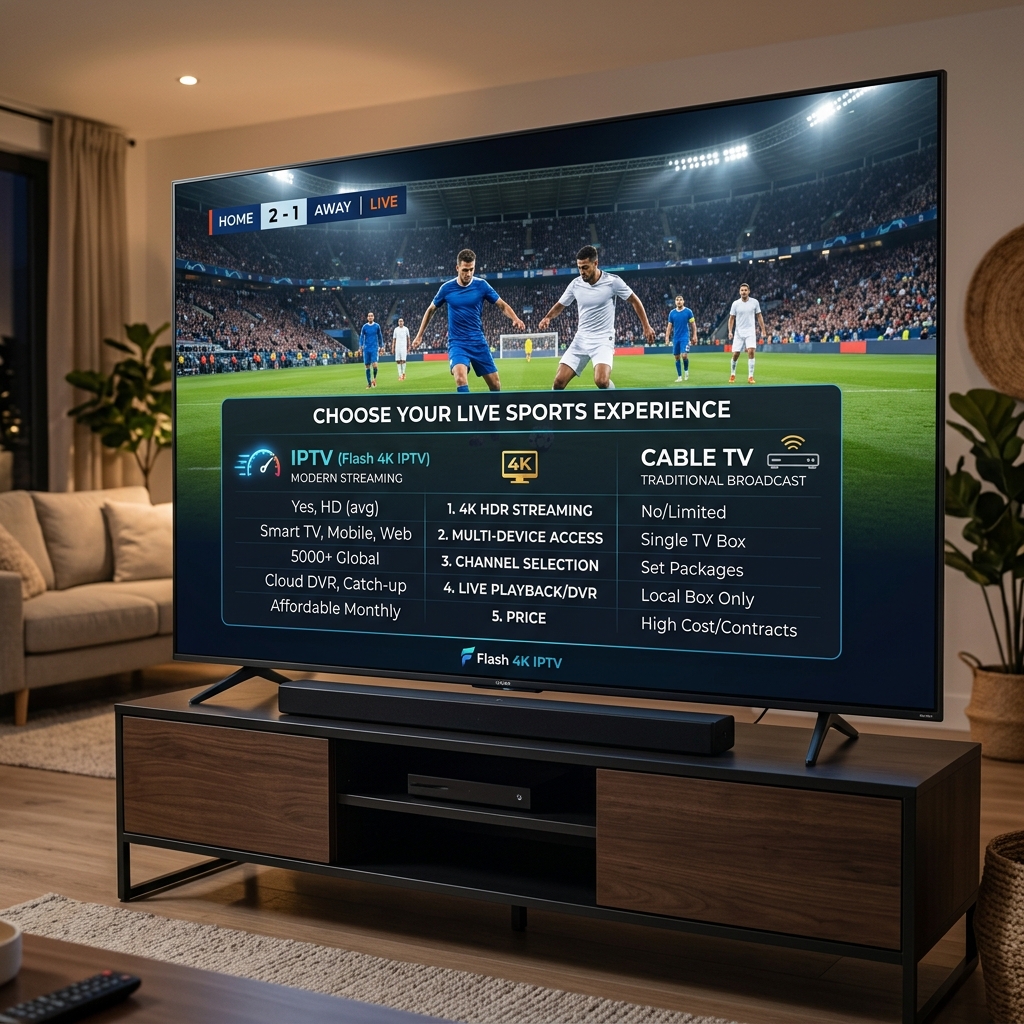
IPTV vs Cable TV for Live Sports
For many viewers, access to live sports is the only reason they still pay for live television.
 IPTV vs cable TV for live sports in 2026
Whether you want to watch the NFL, NBA, MLB, NHL, college sports, or international soccer, your experience will depend entirely on the provider.
With cable, sports availability depends on your specific regional rights and the channel package you purchase. Often, accessing out-of-market games requires expensive premium add-ons.
With IPTV, sports availability depends on the channels included in the provider’s package. A robust service can offer incredible access to international and national networks. However, sports availability always depends on the specific rights, region, and broadcast restrictions inherent to the channels provided.
Which Is Better for Watching Sports?
When evaluating the actual sports viewing experience, both options have pros and cons.
IPTV
Potential advantages:
- Flexible device options (watch on your TV, then move to your tablet).
- Internet-based delivery makes it easy to access through compatible apps.
- Potential multi-device flexibility (depending on your plan).
Potential disadvantages:
- Performance is entirely dependent on your internet quality.
- The stream quality can vary based on the provider and network congestion.
Cable TV
Potential advantages:
- Dedicated traditional TV infrastructure usually guarantees a stable signal.
- A highly familiar TV experience with no buffering (assuming the hardware works).
- Provider-supported equipment.
Potential disadvantages:
- Less portable (you usually must watch on the TV connected to the box).
- Requires additional bulky equipment.
- You may be restricted by strict channel packages or unexpected fees.
If you are preparing for a big game, you can read our specific guides on watching NFL games live and watching NBA games live to optimize your setup.
IPTV vs Cable TV for 4K Streaming
Everyone wants a crystal-clear picture, but does one service inherently offer better 4K quality? Not necessarily.
4K availability depends heavily on the content source, the provider, the specific channel broadcasting the event, your device, and your internet connection. Neither IPTV nor cable automatically guarantees superior 4K. If the network broadcasting a game is only producing a 1080p feed, neither service can magically upgrade it to true 4K. The actual source quality is what matters most.
Does IPTV Require Faster Internet Than Cable?
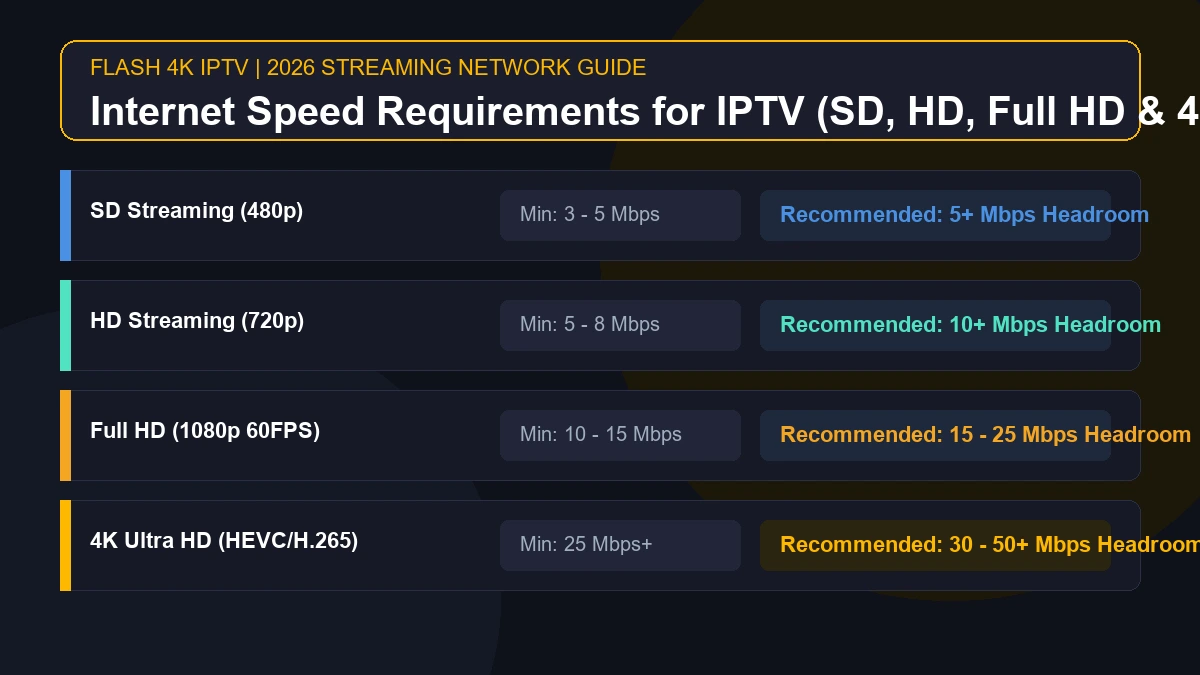
Yes. Because IPTV uses your internet connection to deliver video, it requires a stable and reasonably fast home network.
Cable TV’s traditional signal operates on a separate, dedicated infrastructure, meaning it does not depend on your home internet bandwidth to display a television picture.
If you choose IPTV, you must consider practical internet factors like download speed, network stability, Wi-Fi quality, and whether you can use an Ethernet cable to avoid wireless interference. If your household has multiple devices downloading data simultaneously, network congestion can cause buffering on an IPTV stream.
IPTV vs Cable TV Equipment
The hardware required for each service is notably different.
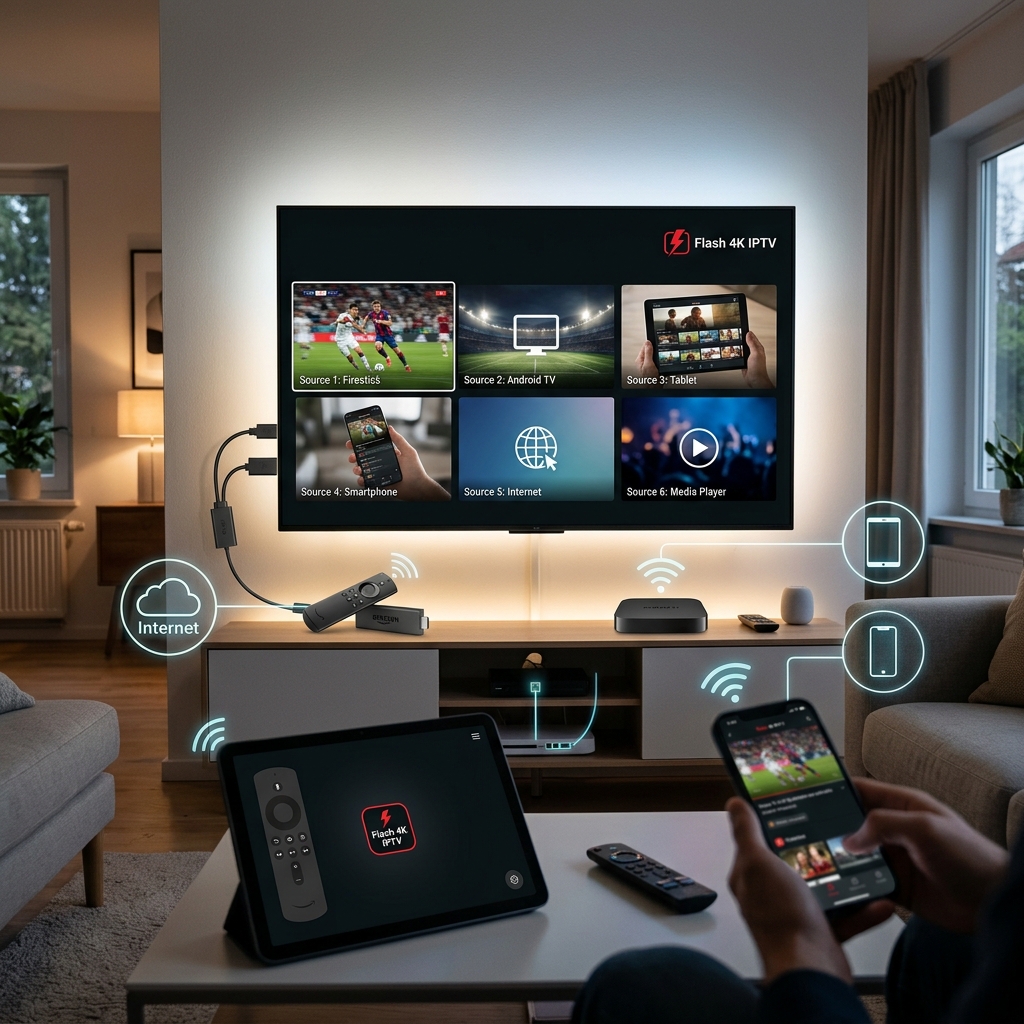
IPTV Equipment
Possible equipment includes:
- Your existing Smart TV (if it supports apps).
- A streaming stick (like an Amazon Firestick).
- An Android TV box or Google TV device.
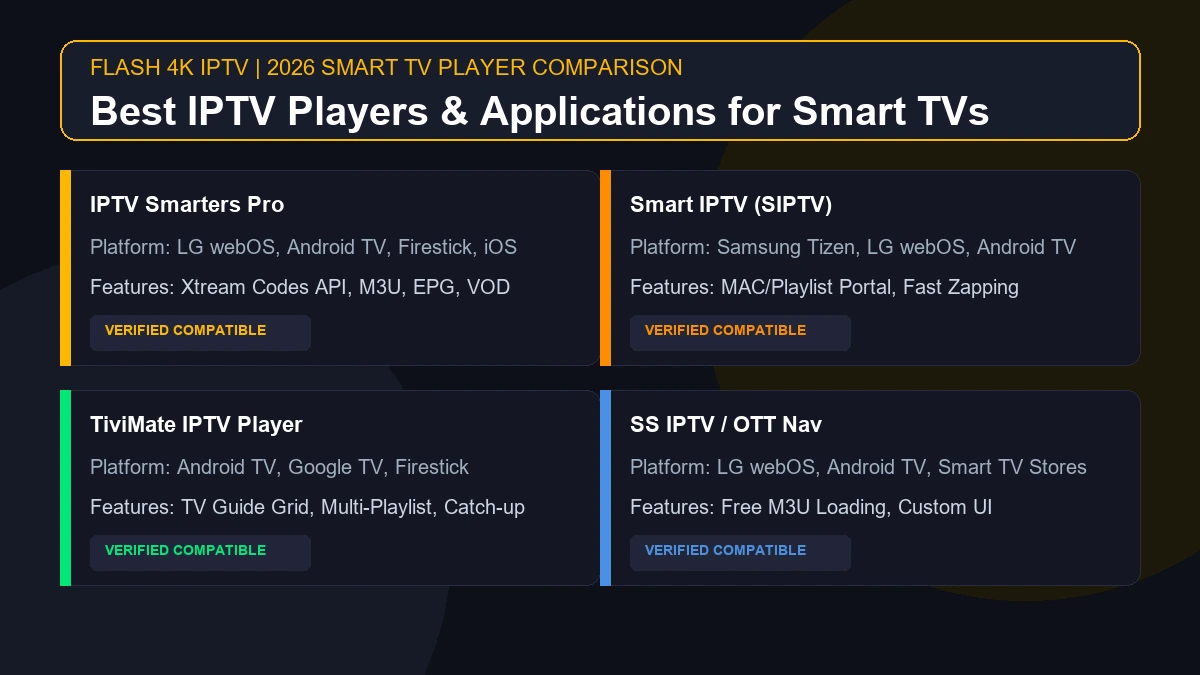
- A compatible IPTV player application.
IPTV does not necessarily require an additional, dedicated set-top box if your Smart TV supports a compatible application.
Cable Equipment
Typical equipment includes:
- A proprietary cable box for every TV in the house.
- A provider-specific remote control.
- Coaxial cable connections physically wired to the walls.
Which Is Better for Multiple Devices?
 Flash4K IPTV multi-device streaming setup
If you have a busy household, multi-device viewing is crucial.
IPTV can be incredibly convenient for users who want to watch on a Smart TV, move to a Firestick in the bedroom, and later check the score on a smartphone or tablet. However, you must clarify your provider's terms—the number of simultaneous streams allowed depends entirely on the IPTV provider's specific plan.
For cable, multi-room viewing generally depends on renting additional cable boxes from the provider, though some now offer companion apps for restricted viewing on smart devices.
IPTV vs Cable TV: Which Is More Portable?
When it comes to portability, the two services are fundamentally different.
IPTV is internet-based, meaning it can potentially be used across compatible devices and is generally easier to move between locations, provided the service allows it and you have a solid internet connection.
Cable is tied much more closely to the physical installed service location. You cannot simply unplug a cable box, take it to a hotel, and expect it to work without the provider's physical infrastructure.
(Note: Always check your provider's terms of service regarding geographic usage restrictions).
Stream 2026 NFL Games in 4K & 60FPS
Get instant access to over 50,000 live sports channels, 120,000+ movies & series, and 24/7 priority sports coverage across all your favorite devices.
Contracts and Subscription Flexibility
Flexibility is a major factor for modern consumers.
With IPTV, you will often find monthly plans with straightforward cancellation policies. You generally use your own equipment, meaning you are not locked into returning leased hardware if you change your mind.
Cable companies traditionally rely on contract terms, which may lock in pricing for a year or two but can be difficult to cancel without penalties. However, this is changing, and not all cable companies require long-term contracts today, just as not all IPTV services are entirely contract-free.
Which Is More Reliable: IPTV or Cable?
Reliability depends on the infrastructure supporting the service.
IPTV reliability can be affected by your home internet stability, your Wi-Fi router, local network congestion, the processing power of your streaming device, and the performance of the IPTV service's servers.
Cable reliability can be affected by local cable outages, degrading physical infrastructure, provider maintenance, and occasionally severe weather in some systems.
While cable is traditionally viewed as more reliable because it does not rely on local Wi-Fi, a properly optimized hardwired IPTV setup can be incredibly stable. For tips on maximizing stability, review our IPTV troubleshooting guide.
IPTV vs Cable TV User Experience
The day-to-day user experience varies considerably between the two options.
With cable, you get a familiar, unified experience. The remote, the Electronic Program Guide (EPG), and channel navigation are designed to be foolproof.
With IPTV, the user experience depends heavily on the specific application you use. Modern IPTV apps offer fantastic channel navigation, search functionality, EPGs, and sleek interfaces, but they can require a slight learning curve if you are accustomed to a standard cable remote.
Who Is IPTV Best For?
IPTV may be highly attractive to users who value:
- Flexible device options (using hardware they already own).
- Internet-based TV delivery.
- Smart TV app-based viewing.
- Portable viewing across different screens.
- Flexible subscription options without hidden hardware rental fees.
Who Is Cable TV Best For?
Cable may better suit users who value:
- A traditional, familiar TV service.
- Provider-managed equipment and installation.
- Simple channel navigation that everyone in the house understands instantly.
- A setup that does not depend on the stability of their home internet connection for the TV signal.
Why Consider Flash4K IPTV for Live TV?
If you have decided that an internet-based solution fits your lifestyle better, the Flash4K IPTV service is designed to provide a premium viewing experience.
Flash4K IPTV offers broad Smart TV compatibility and support for the most popular IPTV players. It is built to handle live TV and sports viewing seamlessly, provided you have a stable internet connection. With flexible device usage and 4K capabilities (where available on source channels), it represents a modern approach to television. You can easily navigate your channels using supported EPGs, ensuring a clean and user-friendly experience across your household.
Frequently Asked Questions
IPTV vs Cable TV: Which Should You Choose?
Choosing between IPTV and cable ultimately comes down to your personal preferences and technical setup.
Choose IPTV if you value flexibility, internet-based viewing, Smart TV compatibility, portability, and modern app-based interfaces. It is ideal for users who already have strong home internet and prefer to avoid renting cable boxes.
Choose cable if you value traditional TV infrastructure, provider-managed equipment, a highly familiar cable experience, and a service that does not depend on your home Wi-Fi for stability.
If you are leaning toward the flexibility of internet-based television, the Flash4K IPTV service offers a fantastic platform for your live TV needs. Explore our pricing plans today to find an option that fits your home entertainment setup.