How to Watch NFL, NBA, MLB and NHL with IPTV in 2026
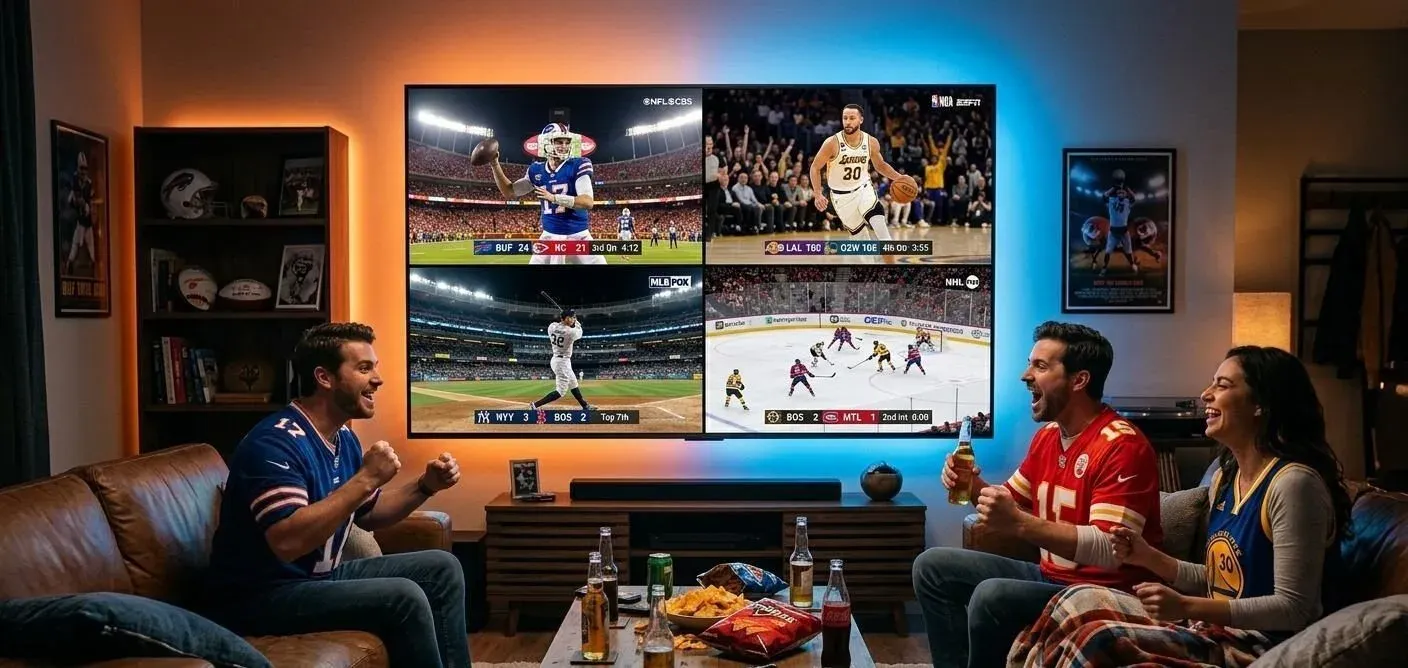
As sports fans increasingly look for flexible, cost-effective ways to watch live games, the traditional cable bundle is no longer the only option. In 2026, streaming live sports over the internet has become the standard. If you want to follow the NFL, NBA, MLB, and NHL without being tied to a rigid satellite dish or cable box, Internet Protocol Television (IPTV) offers a dynamic alternative.
This comprehensive guide will explain how you can stream the four major American sports using IPTV in 2026. We will cover what you need to know about Flash4K IPTV, device setups, and how to optimize your network for the best possible live sports viewing experience. Note that actual channel availability and game coverage depend on your chosen IPTV service and applicable regional broadcasting rights.
Stream 2026 NFL Games in 4K & 60FPS
Get instant access to over 50,000 live sports channels, 120,000+ movies & series, and 24/7 priority sports coverage across all your favorite devices.
1. What Is IPTV and How Does It Work for Live Sports?
IPTV stands for Internet Protocol Television. Instead of delivering television programs and movies through traditional terrestrial, satellite signal, or cable television formats, IPTV delivers live TV over an internet connection.
This internet-based television delivery means you stream media continuously. For live sports, an IPTV application decodes the incoming data packets and displays the live feed on your screen. The primary differences between traditional TV and IPTV for sports are flexibility and delivery. With IPTV, as long as you have a compatible device, an IPTV application, and sufficient internet bandwidth, you can access your channel lists and watch live sports from virtually anywhere. However, because it relies on the internet, network stability is crucial to avoid buffering during critical plays.
2. Can IPTV Be Used to Watch Live Sports?
Yes, IPTV is widely used to watch live sports, but the experience depends heavily on the provider's available channels and broadcasting rights.
A high-quality IPTV service can aggregate sports channels, live events, and regional sports networks into a single interface. Your subscription plan determines which channels you receive. It is important to clearly understand that not every IPTV provider necessarily carries every NFL, NBA, MLB, or NHL game. Regional blackouts and international broadcasting rights still apply depending on the source of the channel. Always verify current sports and channel availability with your provider before subscribing.
For the best experience, you must also ensure your device compatibility and internet requirements meet the demands of live, high-framerate sports streaming.
3. How to Watch NFL with IPTV in 2026
When football season arrives, capturing every touchdown without interruption is a top priority. NFL regular-season games are broadcast across multiple networks, including CBS, FOX, NBC, ESPN, and digital platforms like Amazon Prime Video.
To watch the NFL via IPTV, you need an IPTV service that carries these live sports channels. Compatible IPTV devices like the Amazon Firestick or Nvidia Shield provide the processing power needed to handle high-definition, 60fps streams. Because football action is fast-paced, high streaming quality and low latency are preferred.
One of the most common NFL streaming problems is network congestion on Sunday afternoons. Ensure your internet connection is optimized (preferably via Ethernet) to maintain a stable feed. For an in-depth look at football streaming, check out our how to watch NFL games live guide.
4. How to Watch NBA with IPTV in 2026
The NBA regular season is a grueling 82-game schedule packed with nightly action. Live basketball is typically broadcast on ABC, ESPN, TNT, NBA TV, and various regional sports networks.
Watching the NBA with IPTV requires access to these specific sports channels. Because basketball involves high-frequency live action and rapid camera panning, your IPTV devices and internet requirements must be capable of sustaining high frame rates without dropping resolution.
If you want to dive deeper into optimizing your basketball viewing setup, including tips on streaming quality and playoffs coverage, read our complete NBA IPTV guide.
5. How to Watch MLB with IPTV in 2026
Baseball fans know that the MLB regular season is a marathon, not a sprint, with 162 games per team. Live baseball is broadcast on FOX, FS1, TBS, ESPN, MLB Network, and regional sports networks (RSNs).
When considering IPTV compatibility for baseball, long viewing sessions are the norm. Streaming quality needs to be consistent over three or more hours. Your internet connection must be stable for extended periods. Note that MLB coverage heavily depends on your location, local broadcast rights, and the specific channel list offered by the IPTV service being used. Do not assume every local regional game is available without checking the channel directory first.
6. How to Watch NHL with IPTV in 2026
The NHL regular season delivers fast-paced, continuous action. Live hockey is broadcast on ABC, ESPN, TNT, and regional networks in the US, while Sportsnet and CBC dominate in Canada.
For NHL fans, sports channels must provide excellent clarity; a low-bitrate stream makes it incredibly difficult to track the fast-moving puck. IPTV compatibility with powerful devices is recommended to process high-quality feeds. As with the other leagues, verify the available channels and remember that no service can guarantee every single out-of-market NHL game due to shifting rights.
Stream 2026 NFL Games in 4K & 60FPS
Get instant access to over 50,000 live sports channels, 120,000+ movies & series, and 24/7 priority sports coverage across all your favorite devices.
7. NFL vs NBA vs MLB vs NHL — IPTV Viewing Differences
Different sports place different demands on your streaming setup. Here is a practical comparison of what to expect and optimize for:
| Sport | Typical Viewing Experience | Important Considerations |
|---|---|---|
| NFL | Fast-paced live games | Kickoff timing, network stability on Sundays |
| NBA | High-frequency live action | HD/4K quality, stable connection for fast motion |
| MLB | Long live broadcasts | Stable streaming for extended viewing |
| NHL | Fast movement and continuous action | Good picture quality and low interruptions |
8. Best Devices for Live Sports IPTV
To get the most out of your live sports streams, choosing the right hardware is essential.
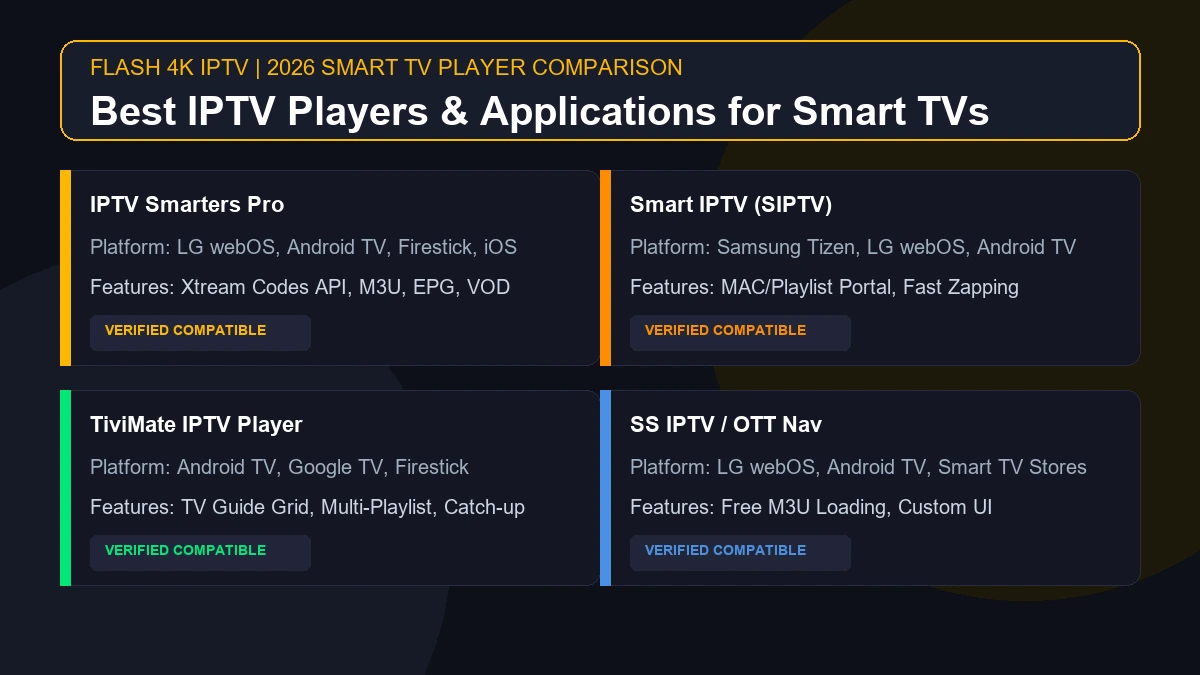
- Smart TVs: Many modern Android TVs and LG/Samsung models support native IPTV apps.
- Firestick / Fire TV: Excellent, cost-effective devices for IPTV.
- Android TV Boxes: Devices like Nvidia Shield offer premium processing for 4K streams.
- Apple TV: Great for users in the Apple ecosystem, where supported by specific apps.
- Smartphones & Tablets: Perfect for watching games on the go.
- Computers: Browsers and desktop apps provide a versatile backup option.
For help configuring these devices, you can refer to our installation guide.
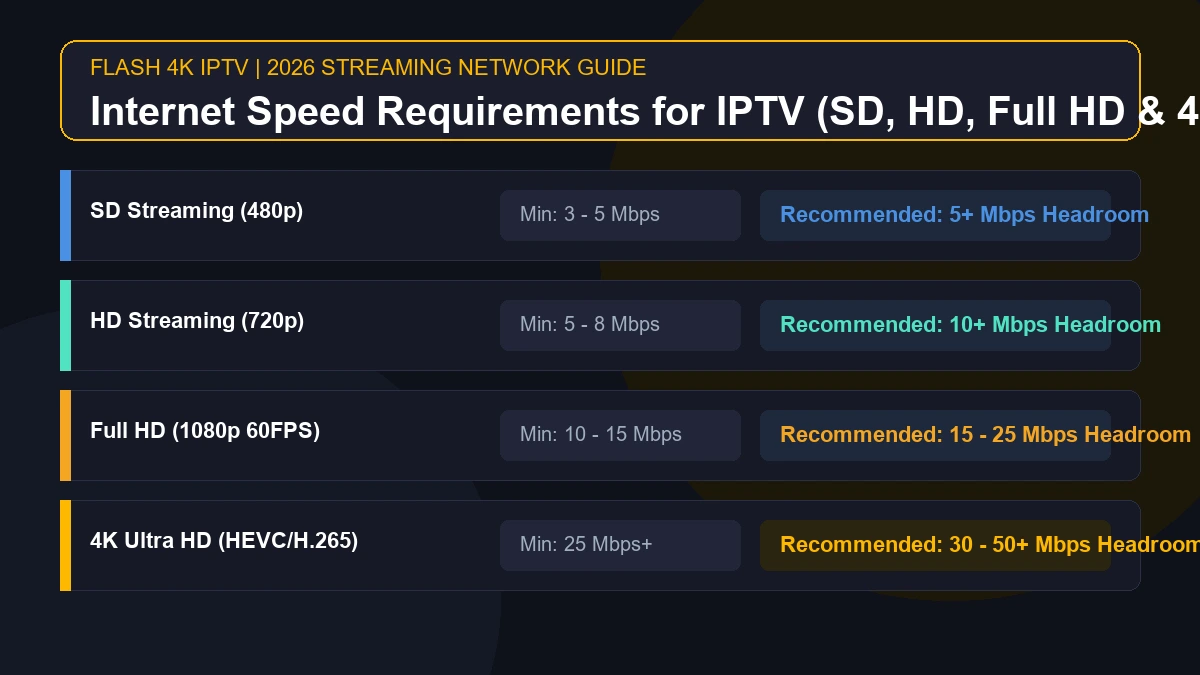
9. Internet Speed for Sports IPTV
Why does a stable connection matter? Live sports cannot be heavily pre-buffered like a Netflix movie. You are downloading the feed in real-time.
Your download speed, network stability, and Wi-Fi quality are the pillars of a good experience. While a 25 Mbps connection might suffice for a single 1080p stream, network congestion and latency can cause buffering. If you have multiple devices streaming simultaneously, your bandwidth requirements multiply. Whenever possible, use an Ethernet cable rather than Wi-Fi to eliminate wireless interference and reduce latency.
10. How to Get Better Live Sports Streaming Quality
You can dramatically improve your live sports streaming quality with a few practical recommendations:
- Use a stable internet connection.
- Prefer Ethernet where practical over Wi-Fi.
- If using Wi-Fi, ensure a strong 5GHz signal.
- Reduce unnecessary network traffic (e.g., pause large downloads).
- Close unnecessary background applications on your streaming device.
- Keep the IPTV app updated to the latest version.
- Keep the streaming device firmware updated.
- Restart your router and modem when appropriate.
- Check display/HDMI connections for hardware issues.
11. Common IPTV Problems During Live Sports
Even the best setups can experience hiccups. Here is how to handle common issues:
Buffering
Buffering happens when your internet connection cannot download the video feed fast enough. Common causes include network congestion or ISP throttling. The best fix is switching to an Ethernet connection and restarting your router.
Channel Not Loading
If a channel fails to load, it could be a dead link or a temporary server outage on the provider's end. Try loading a different channel to confirm if the issue is isolated. Updating your playlist often resolves this.
Poor Picture Quality
Poor picture quality usually stems from a low-quality source stream or a drop in your network stability causing the app to automatically lower the resolution. Ensure your display settings match the stream output.
Audio Problems
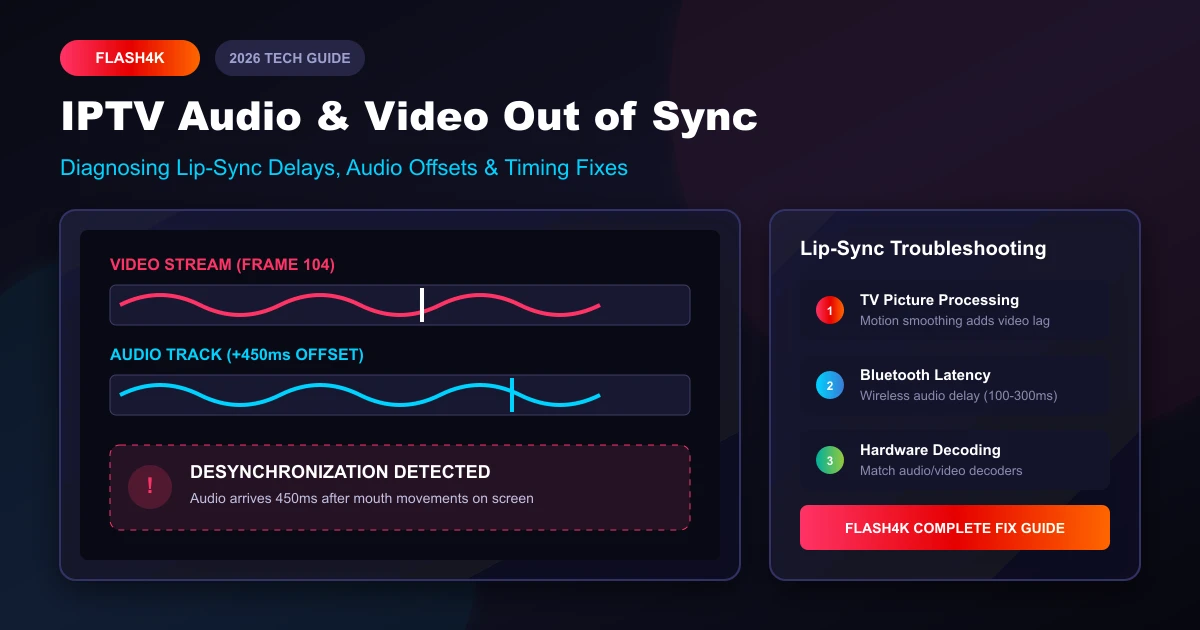
If audio is out of sync or missing, try restarting the IPTV app. Changing the audio decoder settings within your IPTV player app can also resolve codec mismatches.
Login Problems
If you cannot log in, verify your credentials and ensure your subscription status is active. Device or application caching issues can also cause login loops—try clearing the app cache.
IPTV App Crashing
If your app frequently crashes, it may be out of memory. Close background apps, clear the cache, or reinstall the application for a fresh start. For more technical support, visit our FAQ page.
12. How to Prepare Before a Big Game
Don't wait until the opening whistle to test your setup. Follow this pre-game checklist:
- Test the internet: Run a quick speed test to ensure stable bandwidth.
- Open the IPTV app before the event: Log in 15 minutes early to avoid server rush.
- Check the sports channel: Verify the channel is broadcasting the pre-game show smoothly.
- Confirm subscription status: Ensure your account is active to avoid mid-game cutoffs.
- Check device updates: Do not start a system update 5 minutes before kickoff.
- Close unnecessary apps: Free up your device's memory.
- Reduce network traffic: Ask family members to pause heavy downloads.
- Test playback: Ensure audio and video are perfectly synced before the first pitch or puck drop.
13. Watching NFL, NBA, MLB and NHL with Flash4K IPTV
If you are looking for a reliable service, the Flash4K IPTV service provides a premium viewing experience designed for modern streaming demands.
With Flash4K, users can access a massive library of channels and VODs. When paired with a strong internet connection, Flash4K IPTV delivers smooth, high-quality sports streams for fans of all major leagues. We recommend exploring our subscription plans to find the package that best fits your household's needs. You can also view our channel directory to see what content is available. If you have any questions before joining the Flash4K platform, feel free to reach out to our contact support team.
14. How to Choose an IPTV Service for Sports
When selecting an IPTV provider for live sports, consider this objective buying guide. You should evaluate:
- Sports/channel availability: Do they offer the networks that carry your favorite teams?
- Device compatibility: Does the service work on your preferred TV or streaming stick?
- Streaming quality: Are high framerates (60fps) and HD/4K options supported?
- Connection stability: Is the service known for reliable uptime?
- Pricing: Are the subscription terms clear and competitive?
- Support: Is there an accessible support team for troubleshooting?
- Ease of setup: Is it simple to install and update?
Always verify current sports coverage and test the service using a trial if available before committing to a long-term plan.